Automatically Track Your Casino Offers
Create an account and link your Royal Caribbean login to automatically import and track all your casino offers.
Your credentials are safe
- Password encrypted with XSalsa20-Poly1305 (libsodium)
- We only fetch your casino offers — nothing else
- Never logged, never shared, never used for bookings
How Do Your Offers Compare?
Explore aggregated insights from the community: comp rates by sailing, room type breakdowns, ship class distribution, and more.
GTY
Comp
GOBO
Import from Plain Text
Paste your casino offer sailing list below to see pricing and add sailings to your lists.
How to Get Your Offer Data
1
Go to Club Royale Offers
Visit Royal Caribbean's offers page while logged into your account:
Open Club Royale Offers2
Click "View Sailings"
Find the offer you want and click the "View Sailings" button on the offer card.
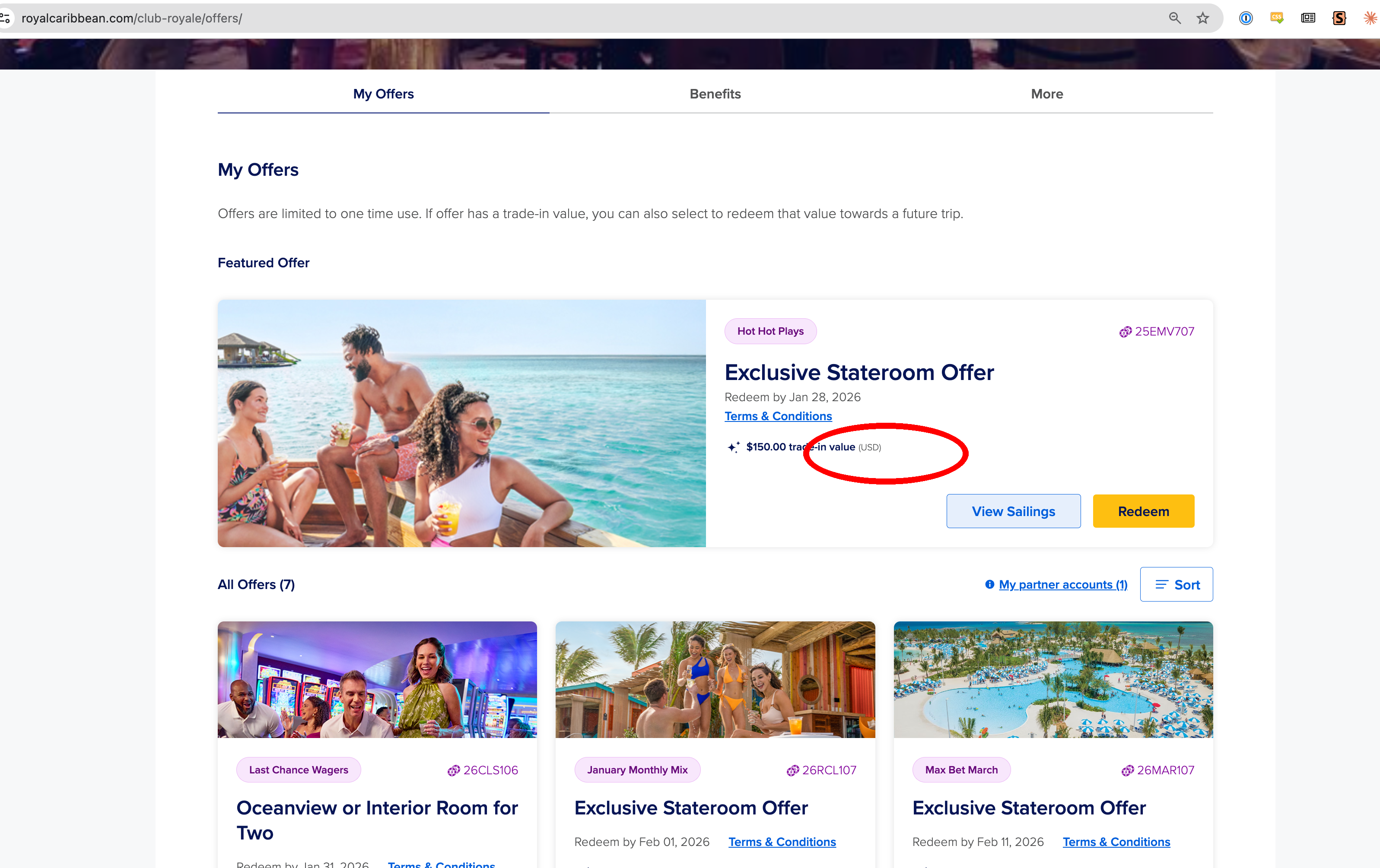
Click the "View Sailings" button (circled in red)
3
Expand All Sections
A modal will open. Click "Expand all" in the top right to show all sailings.
Important: All sections must be expanded! If it says "Collapse all", you're good. If it says "Expand all", click it first.
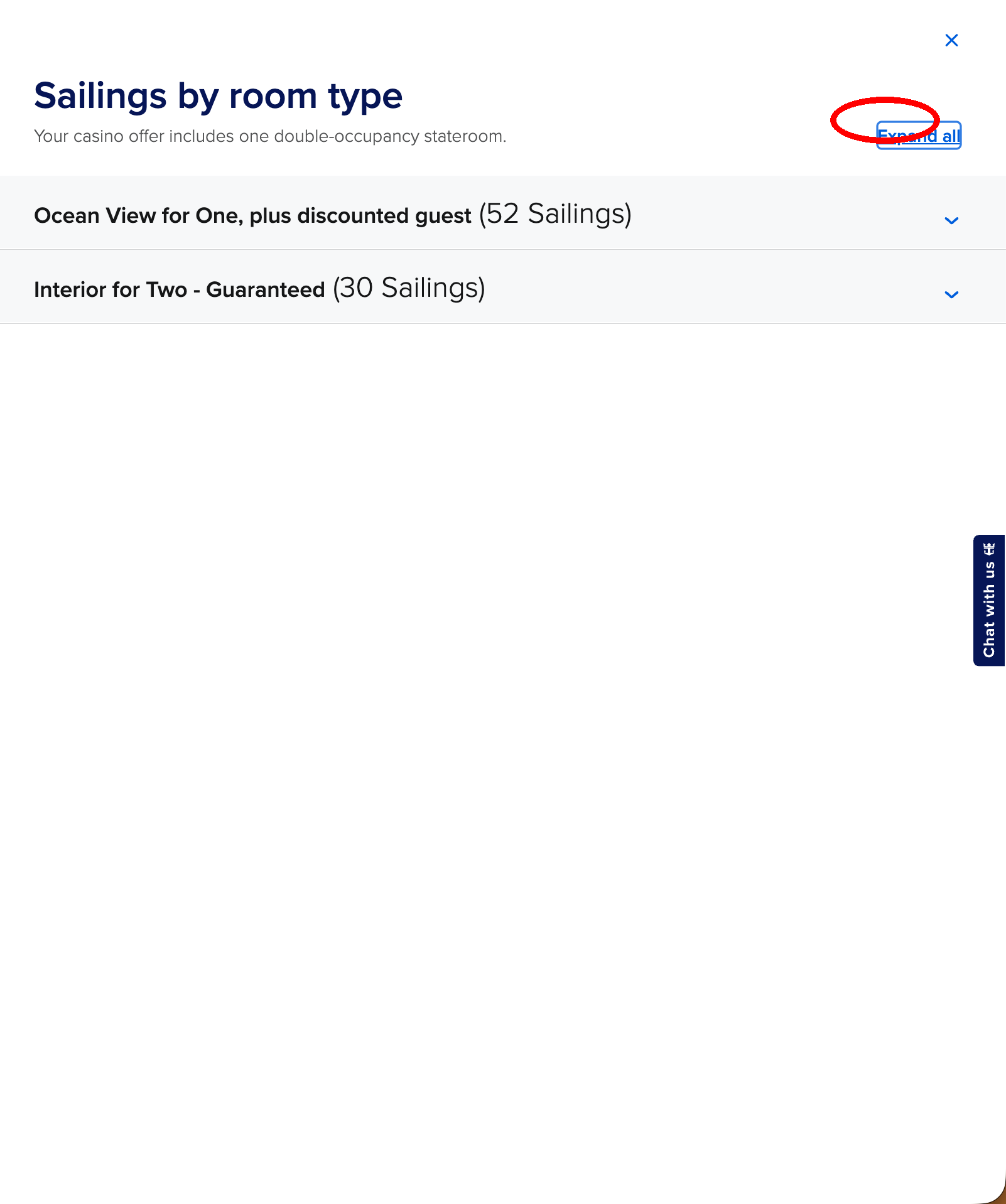
Click "Expand all" to show all sailings
4
Select & Copy All Text
This is the important part:
- Click at the very top of the modal, just below the X button
- Drag all the way down to select everything
- Press Ctrl+C (or Cmd+C on Mac) to copy
- Paste it in the box on the left
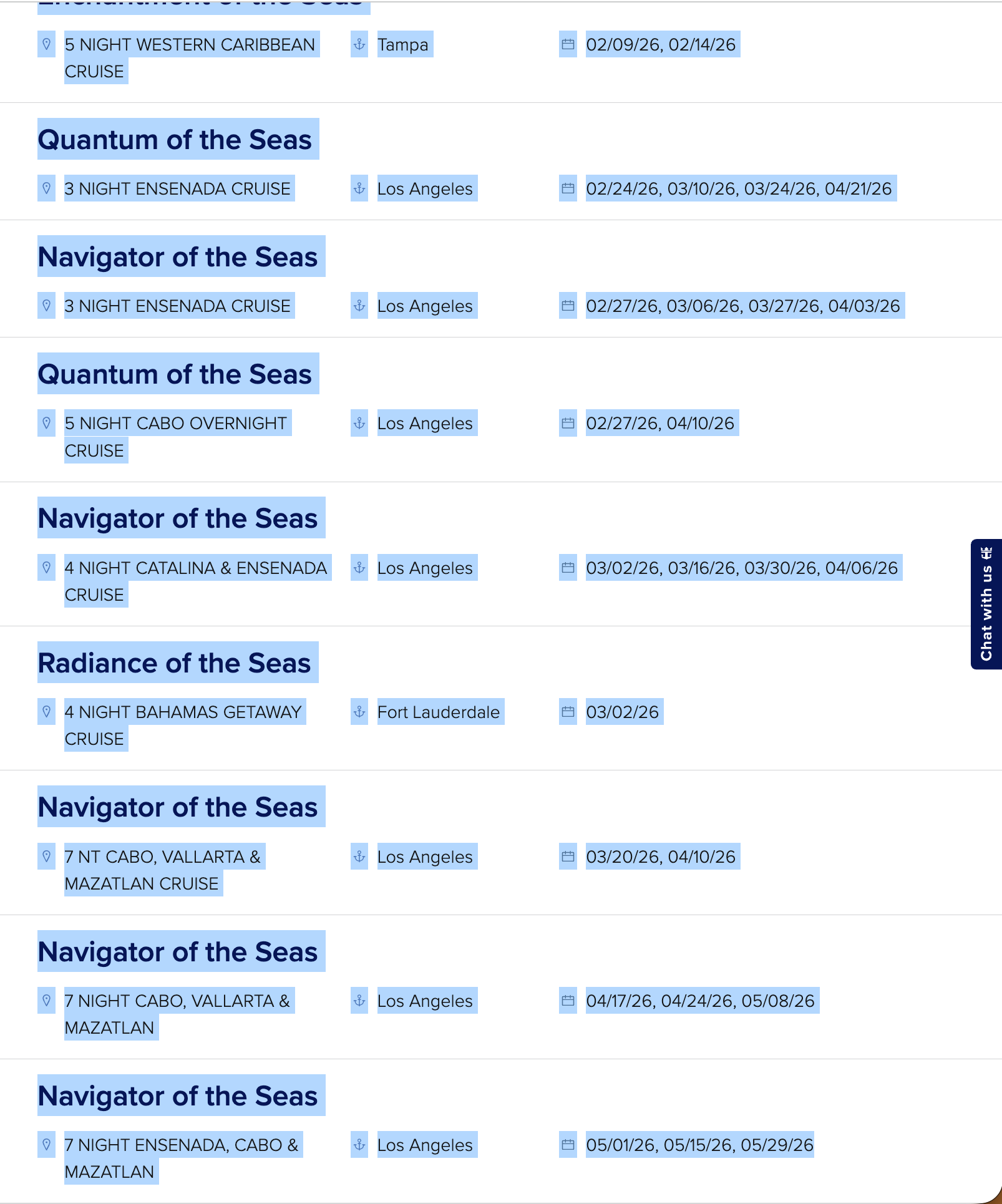
The expanded list - select all this text
Tips
- You can import multiple offers at once - just paste them all together
- The parser will automatically detect ship names, dates, and cruise details
- After importing, you can add sailings to your tracking lists